
- ScoreLens
- Scan sheet music and play
Scan sheet music and hear it played back
Photograph a printed page of sheet music, and ScoreLens reads the notes and plays them back on your instrument's sound, slower for practice or moved into a different key. It is best on single-line printed parts: violin, flute, clarinet, saxophone, brass, voice. It reads piano too; beginner and intermediate pieces work best. It does not read two voices sharing a staff, handwritten manuscript or tablature. On a page with several staves, such as a quartet score, photograph your own line and ScoreLens follows that part.


A real scan, not a mock-up
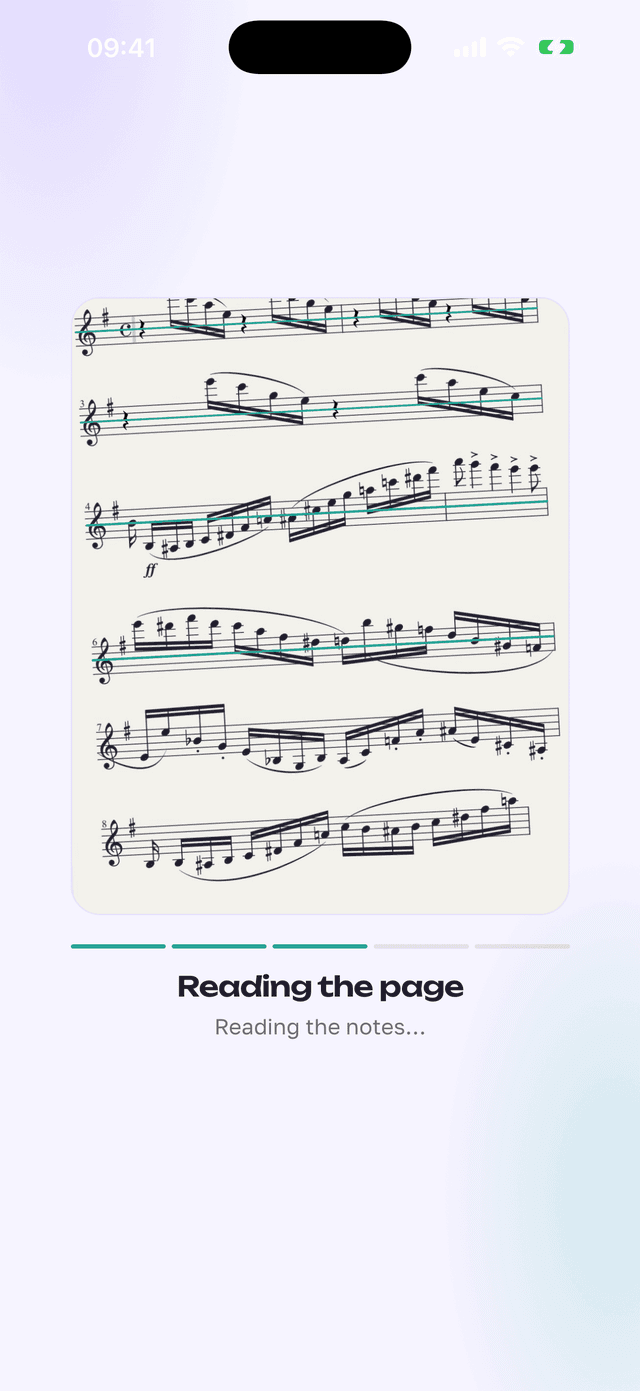
This is an actual ScoreLens screen recording: the camera frames a printed page, the page is read on our server, and the result opens and plays with a moving cursor. Recognition usually takes 15 to 40 seconds; this clip speeds that part up.
The recording has no usable sound of its own; tap play to watch it silently, or turn on your device's sound to hear ScoreLens's own instrument play along.
Three honest steps
No account, no upload of your library: only the page you photograph goes to our server, and it's deleted once it's read.
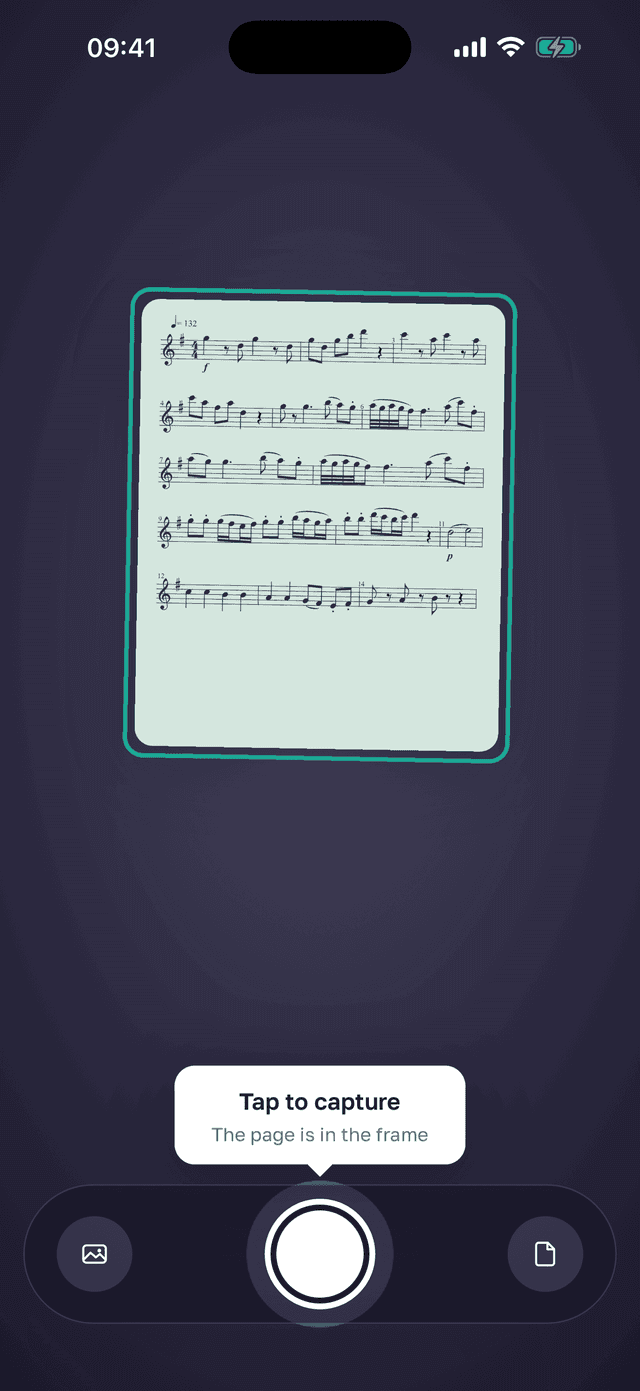
Photograph the page
Lay the page flat, get even light and the whole page in frame, and take the photo, or pick one you already have. A PDF or a screenshot works too.
Check what ScoreLens read
The page opens as notation you can compare with your photo. A small dot marks any bar that doesn't add up.
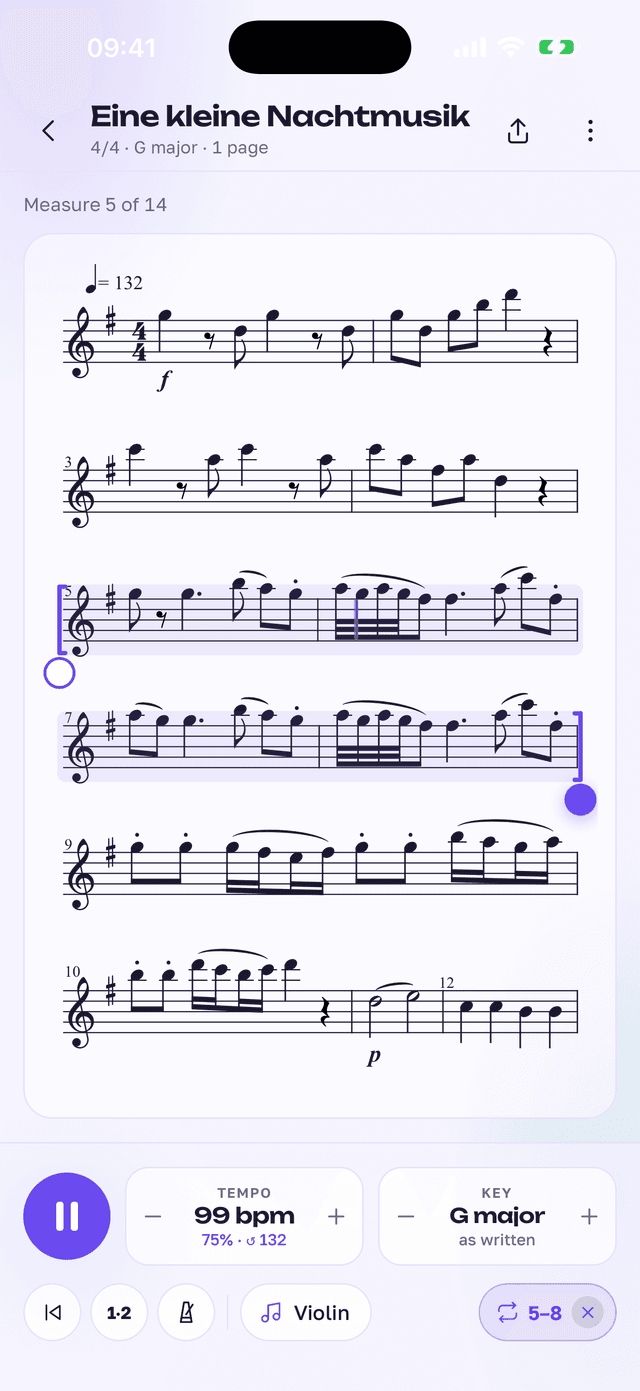
Play it: tempo, loop, key or instrument
Set a slower tempo, loop a few bars, or move it into a different key or instrument sound, then play it back.
Free to start
Try it on your own music before you pay for anything.
Free
$0
- Free to try, no account
- Full playback with a following cursor
- Tempo and key changes
- Multi-page pieces
- A PDF in your key to print, with a small ScoreLens line
Pro
$39.99/year or $89.99 once
- Unlimited pages
- MIDI and MusicXML export
- Practice audio files
- PDFs without the ScoreLens line
- Yearly with a 14-day free trial, or Lifetime, paid once
Prices are in US dollars; the app shows the price in your currency before you buy.
Questions people ask
Is there an app that plays sheet music from a picture?
Yes. Photograph a printed page and ScoreLens reads the notes, then plays them back on your instrument's sound, so you can hear the part before you play it yourself.
What does this sheet music sound like? How can I hear it?
ScoreLens plays back the notes and rhythms it read, using instrument sounds built into the app. It isn't a recording of a real performance, but it gets you the pitches and the rhythm at any tempo, right after you photograph the page.
Can it play piano sheet music?
Yes. ScoreLens is best on single-line parts, one melody on one staff: violin, flute, clarinet, saxophone, brass, voice. It reads piano too, and beginner and intermediate pieces work best.
Is it free?
Yes, it's free to try, with full playback, tempo and key changes included. Pro unlocks unlimited pages and adds MIDI and MusicXML export and practice audio, for $39.99 a year with a 14-day free trial, or $89.99 once for a lifetime.
Can I slow it down or change the key for my B♭ clarinet?
Yes. Every page you scan plays at any tempo you choose, and you can transpose it into a different key or move it to a different instrument's sound, so a part written for one instrument can be heard the way another instrument would play it.
Does it work with a PDF?
Yes. Open a PDF from Files or share it to ScoreLens from another app, pick the pages, and ScoreLens reads them like photos. A screenshot works too.
How accurate is it, and how long does a page take?
Clean, printed parts read well, but no scanner is perfect: the result opens as notation you can compare with your photo, and a small dot marks any bar whose beats don't add up. Reading a page usually takes 15 to 40 seconds.
What can't it read?
Handwritten manuscript, tablature, and two voices sharing one staff. Reading a page needs an internet connection.
What happens to my photo?
Only the page you photograph is sent to our server to be read, and it is deleted once it's read. There's no account, and your library stays on your phone.
Does it work on Android?
Yes. ScoreLens is on Google Play and the App Store.
See it on real music
The player on this page is the same one behind these free pages.
Hear your next part before your next lesson.
ScoreLens is on the App Store for iPhone and on Google Play for Android.
Or go straight to scorelens.app/get.